It is just a quick news that "Subscribers Text Counter" has been updated. Many of you have used it on your blogs but in last days the twitter counter stopped to work. In latest version it is fixed plus a few more features and fixes have been added. Below you will find complete list what have been changed in last 2 days (there was quite a few smaller updates from version 1.6 to 1.6.4).
Tag Archive for 'Wordpress'
 In this post I will try to answer if it is possible to blog from Android Tablet. It will be written from beggining to the end on my brand new Archos 80 G9. As it is my first post that will be written on this device I will learn and describe all my expiriences as it occurs... Just from the beggining I already have quite a few findings that may be realy interesting for those of you who are still unsure about tablet usability.
 Today I would like to introduce you my latest experiment. I have decided to build a new website from scratch and make it profitable in the shortest possible time. Moreover I want to spend as little time on developing and maintenance as possible. In a one month time since today I will decide if I want to keep it and develop for continuous income or flip it.
 I have been writing in some of my previous posts that I am learning to program for Android based phones. After many very long days of reading, learning and programming I am ready to anounce that I have finished and published my first Android application! And the best is that it may be really useful! My new app "WP Stats" can become one of the most used tools by bloggers who have Android based phone.
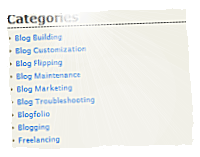 If you have started your blog in rush just like me. And you have been writing a lot of posts and have not planned your "Categories" on the beginning. One day you may notice that you may have way to much "Categories". The more you have, the less processional your blog is looking. There may be just one case when you have "hundreds" of categories. It is when your blog have no any general topic.
Continue reading...
 Moving your WordPress blog can be very frustrating and can bring you a real headache. You have put a lot of effort in creating your website content and you want to take it with you to a new home. Of course you want to keep all backlinks and link structure untouched. But be warned that any mistake can bring you very serious trouble as you may loose your traffic and/or search engine positions. If you have decided for such move you need do it well. In this post I will do all my best to help you with your move.
I would like to announce that my new WordPress plugin is available to download. It is "Subscribers Text Counter". This plugin creates very easy to customize "Feedburner rss subscribers" and "twitter followers" text counters. You may see sample widget created with this plugin on top of my right sidebar.
 This post is just a quick note to let you know that I am selling my blog. No... not this one. I am selling my web hosting reviews blog. If you are interested you may find auction on flippa (inactive link removed). And you may see the website I am selling right here. What is this website about? I have described it some time ago in this post.
UPDATE (2009-11-30)
Blog have been sold. Congratulations to the new owner!
If you are going to upgrade your WordPress installation soon you should read this post. A few days ago when I woke up and as usual turned on my notebook to check my mail and my sites stats. I have noticed and upgrade message in WordPress admin panel "WordPress 2.8.5 is available! Please update now". I have decided I will not ignore this update and it was the beginning of my trouble.
I would like to announce a lunch of my new music blog "Got Music Talent". What is it exactly about? Have you ever watched programs like "Got Talent" or X "Factor"? This blog is similar. If in this programs you liked the most music performers - it is a place for you.

Got Music Talent!
 532 Followers
 645 Subscribers
 Subscribe via Facebook